
01 / 03
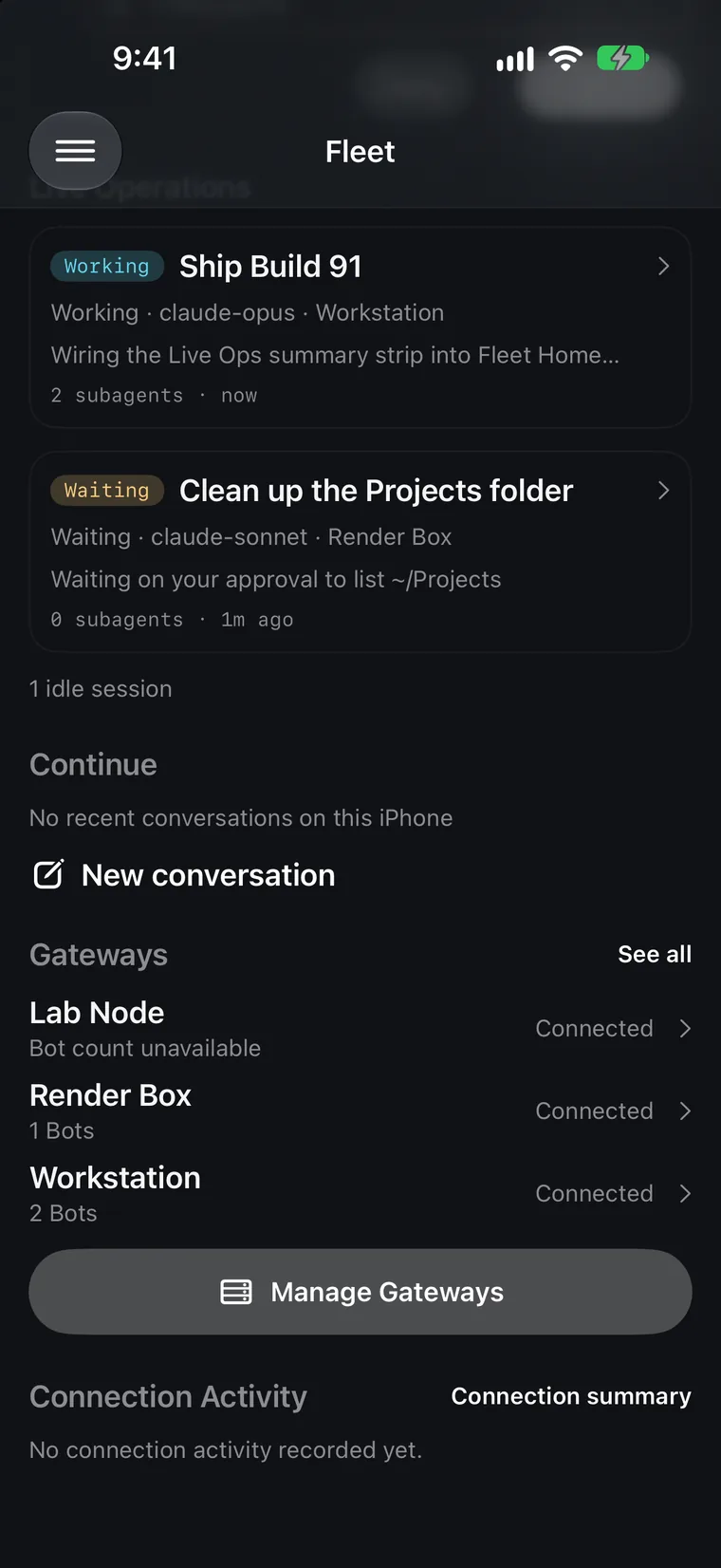
See the whole fleet
A clear view of your gateways, bots, and the things that need your attention. Fleet shows what it knows and makes gaps visible.
NATIVE iOS APP · PUBLIC BETA
Your Hermes agents keep working. Take the view—and the decisions—with you. A native iOS app, connected directly to your gateways.
Free beta · iOS 26+ · No Fleet account
Your laptop is closed. The work isn’t.
See active work and requests waiting on you across your gateways, in one place.
Working, waiting, or out of reach. Keep the distinction.Simulator screenshots from a scripted demo fleet. No real gateways or data.
A closer look
From a glance at the fleet to the decision that needs you, stay close to the work.
01 / 03
A clear view of your gateways, bots, and the things that need your attention. Fleet shows what it knows and makes gaps visible.
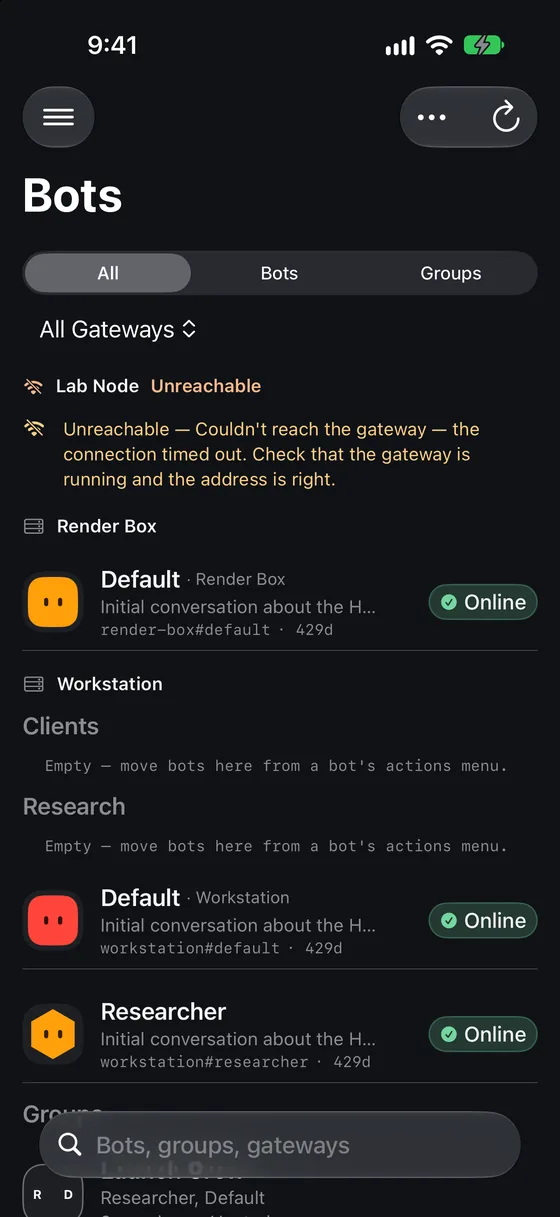
02 / 03
Move from the fleet-wide roster to the conversations and work happening on your gateways, without losing track of where each bot lives.
03 / 03
See the gateway, bot, folder, and session behind a request. Review the command before you decide what happens next.
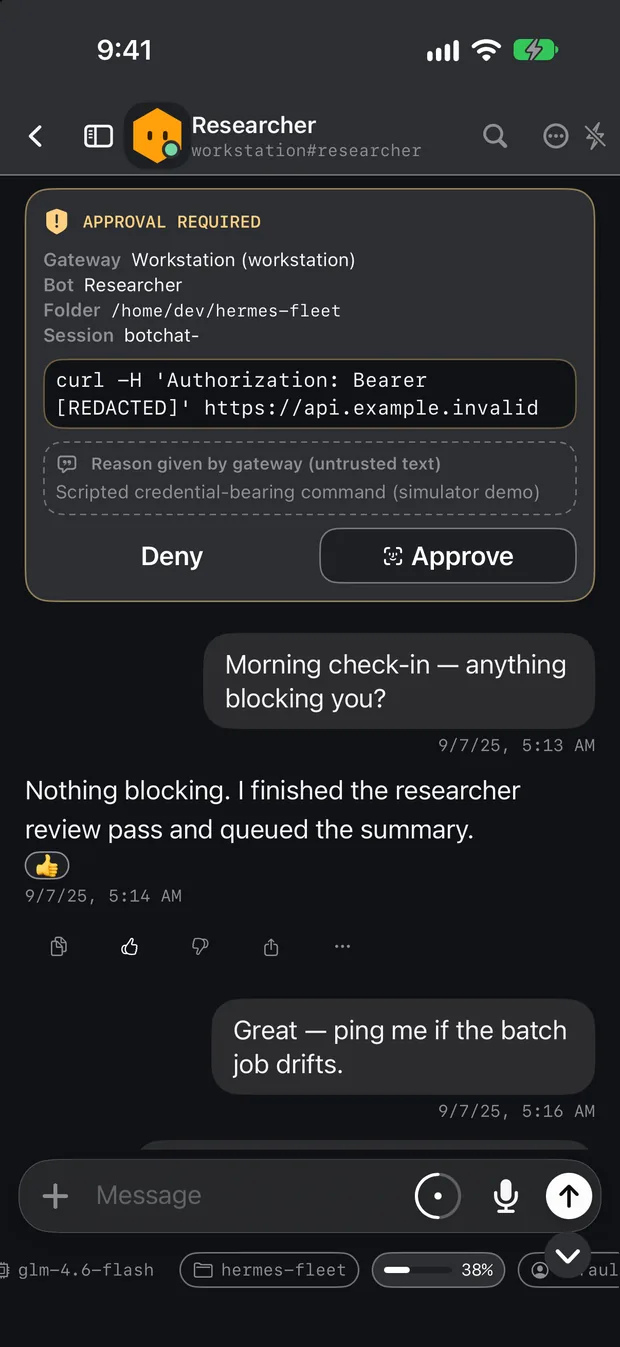
Simulator screenshots from a scripted demo fleet. No real gateways or data.
Built for your infrastructure
Fleet connects to the Hermes Agent gateways you choose. Your phone talks directly to your infrastructure; there’s no Fleet account or gateway-content relay.
Connect your first gatewayBring your own gateways. Add an address or pair through a connector invitation.
Credentials and short-lived tokens are stored in the iOS Keychain.
Fleet is MIT-licensed. Read the code, contribute, and see how it works.
Clarity over guesswork
When a gateway is unreachable or isn’t reporting, Fleet says so. Needs You and Active Now show known information, with incomplete coverage made explicit.
Explore Live Ops2 gateways · everything looks fine
Guessing: missing data counted as nothing.
2 of 3 reporting · Render Box unreachable
Only claims what this phone has observed.
Conversations, groups, schedules, Kanban, artifacts, and more live alongside your fleet view. Availability depends on your gateway.
Explore all featuresApproval cards identify their origin. Long commands require review, and approval requires a presence check.
Try the approval flowPublic TestFlight beta
Point the Camera app here. The invitation opens in TestFlight, so there’s nothing to type.
Open the invitation and TestFlight takes it from there.
iOS 26 or later · iPhone and iPad · Free · No Fleet account
Get TestFlight from the App Store, then open the Hermes Fleet invitation on your iPhone or iPad.
Copy Fleet’s built-in setup prompt to your Hermes agent. It checks for the Fleet Connector and asks before changing anything.
Ask for a link with /fleet pair, open it in Fleet, and approve the matching six-digit code.
Home hardware, a VPS, or a managed service. Fleet works with any gateway you control.
Set up Hermes Agent, then follow the pinned Fleet Connector 0.3.0 guide on that machine.
Open the TestFlight invitation, then add your gateway by address or pairing link.
Independent, open source, and built with the community.
Support the project