
Features
What Fleet does, and what it doesn’t.
Every capability here is grounded in the app’s source and documentation. Where coverage is bounded, Fleet says so. Last reviewed 2026-10-18.
01
Fleet Home & coverage honesty
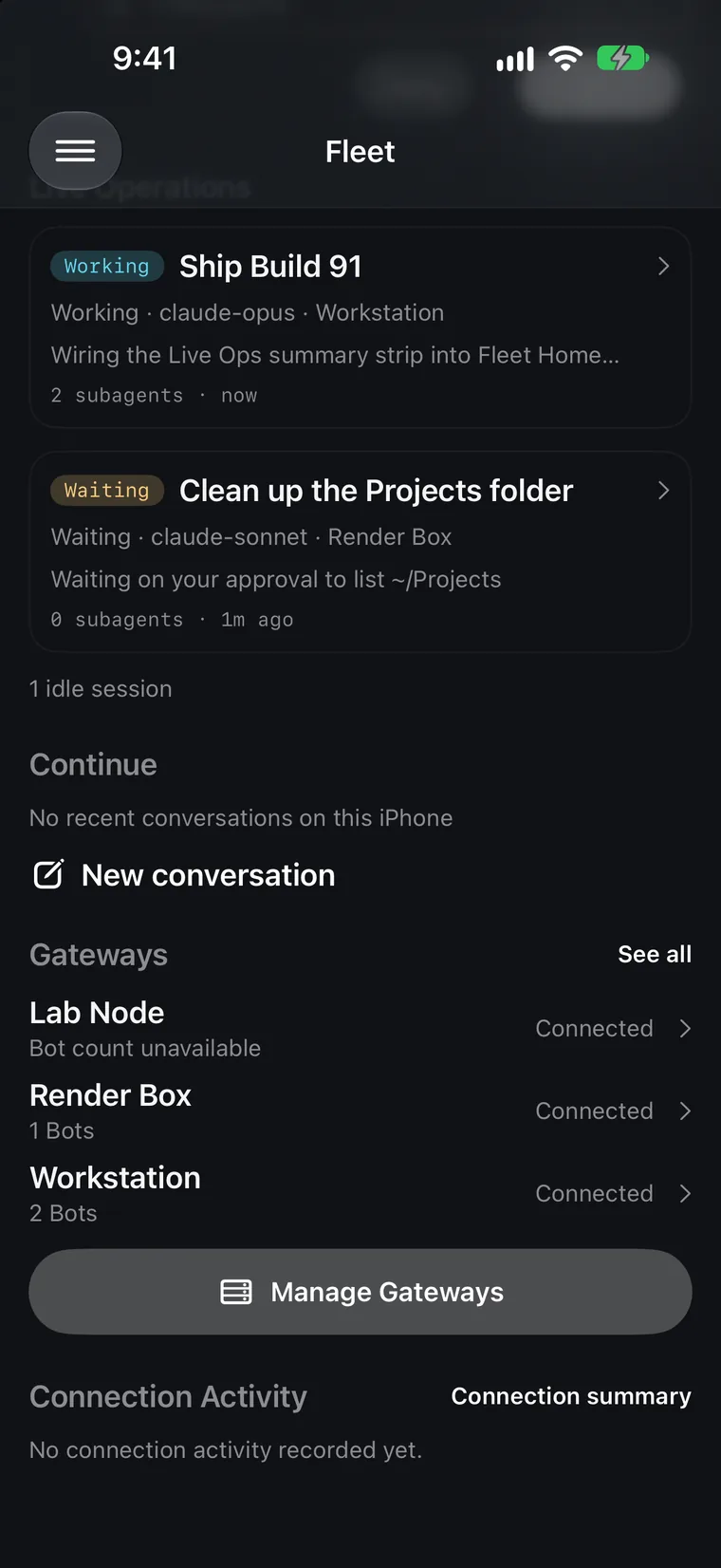
A glance surface: a compact fact strip, Needs You, Active Now, Continue, gateway summary rows, and connection activity. Its coverage is deliberately bounded.
- Needs You lists known items only. When coverage is incomplete it reads “N known items”, never a complete-looking empty inbox.
- Active Now is real execution only. A recent worker heartbeat is “Recent worker activity”, never “executing”, and unseen bots are not claimed idle.
- Continue is device-local: at most 50 references, 30-day retention, pruned when a gateway is removed. It is not synchronized.
- Unknown never renders as zero. Not-yet-loaded counts, partial outages, and unclassifiable gateways display as unknown or partial.
02
Live Ops
Operations, subagent trees, and approvals waiting on you, from every gateway that reports them.
- Operation Detail shows one operation with its subagent tree and timeline.
- Approval actions use the same presence gate (Face ID, passcode fallback); child controls require a verified session attachment.
- Missing, stale, disconnected, or unsupported reporting stays explicit. Fleet does not infer running work from transcripts.
- Hermes Fleet Connector 0.3.0 includes read-only reporting; enable its component for compatible in-process profiles. Unsupported backend layouts stay unsupported.
03
Gateways & pairing
One cockpit per machine, and as many machines as you run.
- Register gateways manually or use Connector 0.3.0 pairing: open a short-lived link, compare its six-digit code, and have the owner approve it.
- Gateway Detail: identity, connection controls, current work, the machine’s Needs You item, and resource rows for Bots, Groups, Projects, Kanban, Schedules, Skills, and Memory.
- Password or session, API key, and token authentication where the gateway supports them.
- Removing a gateway also purges its device-local data: cached transcripts, health stats, snapshots, drafts, and rooms bridged through it.
04
Conversations
Chats stream like a desktop client, with the reliability a phone needs.
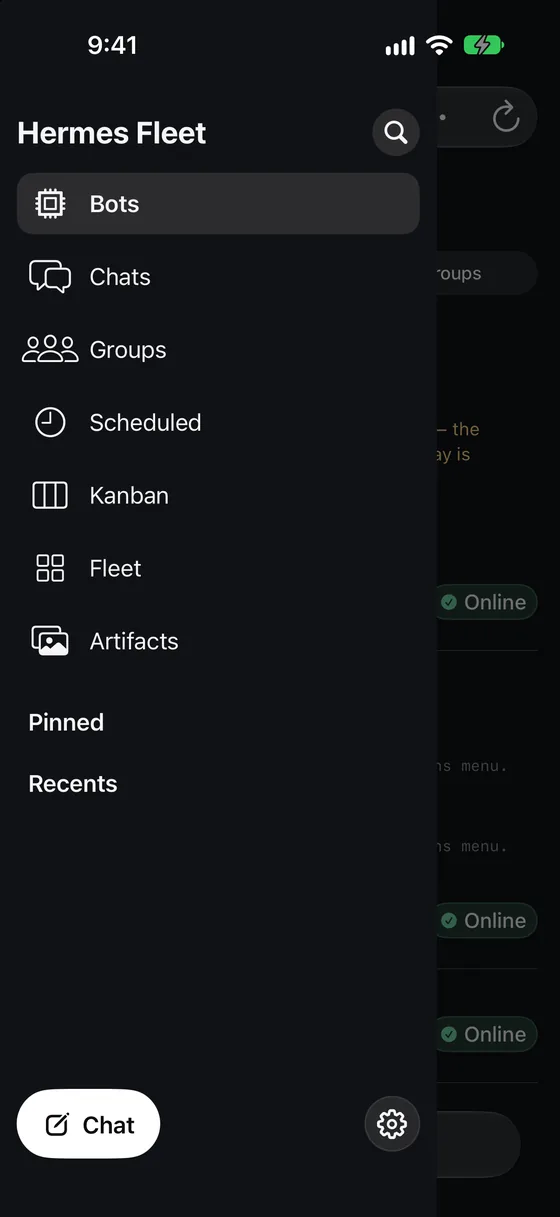
- Create and resume sessions; stream assistant output and tool activity; reconnect and recover missed events.
- Steer, rename, and fork where the gateway supports it; attachments and message reactions.
- A per-session thinking-level slider with eight stops, from None to Ultra.
- Unsent drafts persist per conversation across navigation, App Lock, and relaunch, and are cleared only after a successful send.
- Generated images render inline from the owning gateway’s authenticated media API.
05
Approvals & agent prompts
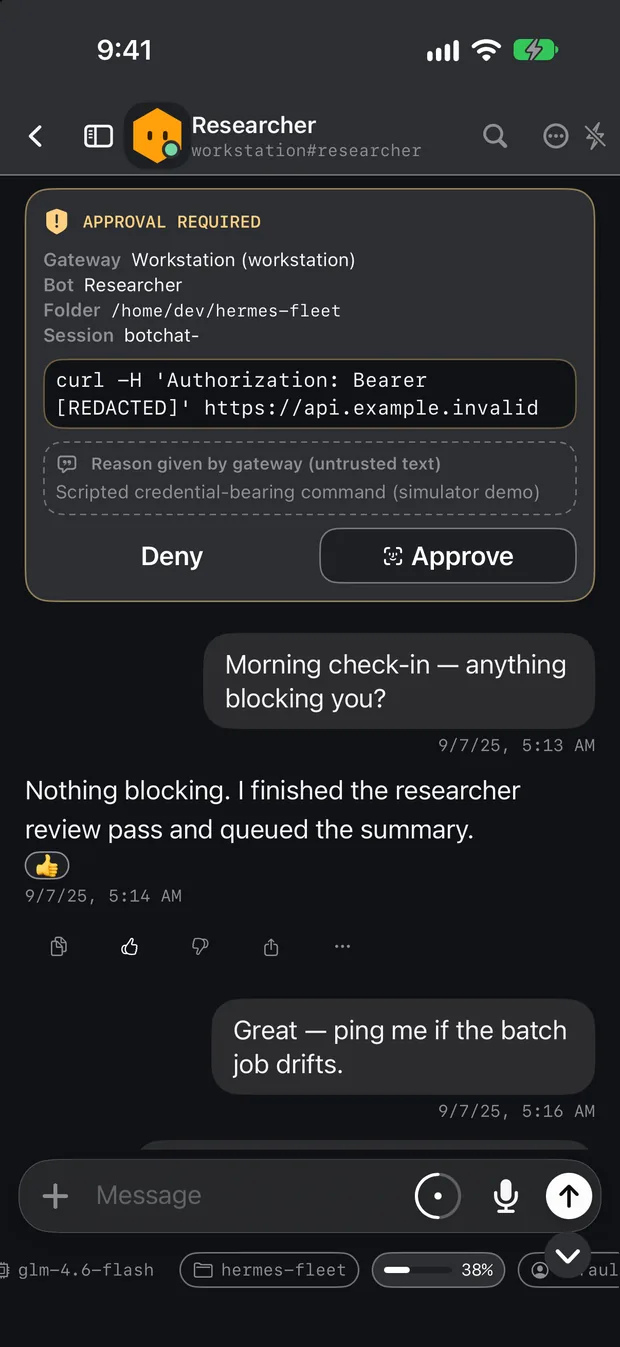
When an agent asks for something dangerous, Fleet shows you who is asking and makes the safe choice the easy one.
- The card names the gateway, bot, working folder, and session, built from the app’s context rather than the wire payload.
- Commands longer than the preview keep Approve disabled until you review the full redacted text. Deny is never gated.
- Approve, sudo-password entry, and secret entry share one presence check: Face ID first, then your device passcode.
- Clarify questions support single, multi-select, and batch answers. Skip is one tap.
- If the gateway withdraws a prompt, the card simply disappears. A withdrawal is never recorded as a denial.
06
Bots
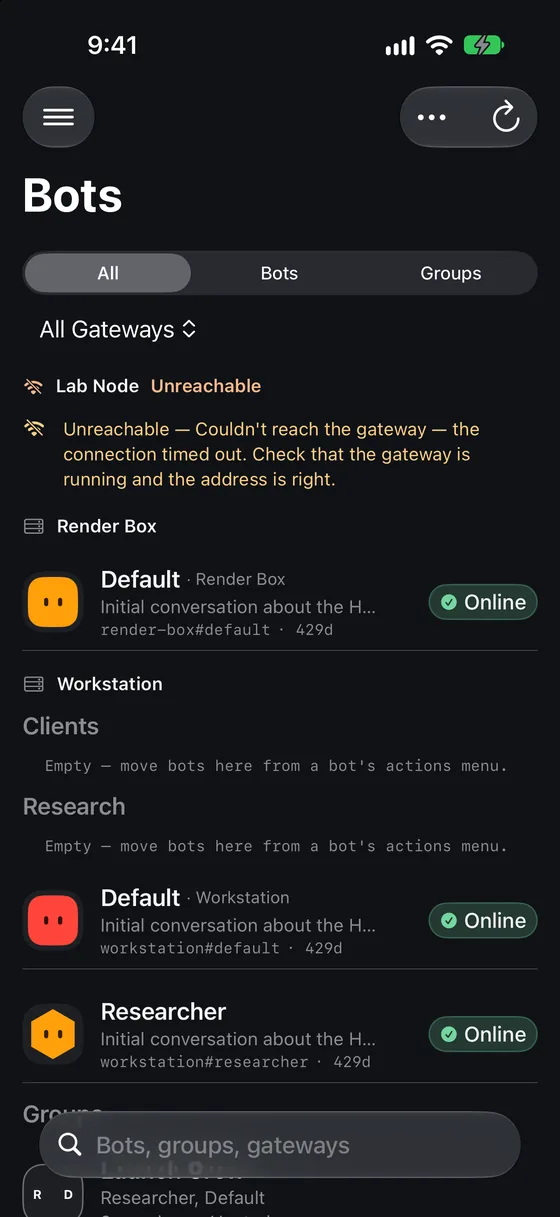
A fleet-wide roster of every bot on every registered gateway.
- Source-qualified identity: same-name bots on different gateways are never merged.
- Create bots and edit name, description, model and provider, SOUL, and Skills, Toolsets, and MCP toggles. Expensive model changes ask for confirmation.
- Sections, pinned and hidden bots, real avatars, and a generated-portrait workflow with preview and explicit confirm.
- One continuous canonical Bot Chat per bot. /new and /reset are intercepted and replaced with /compact.
- @Bot mentions autocomplete across the roster and disambiguate duplicates like @researcher-mac and @researcher-4090.
- Bot Routines: interval and time-of-day schedules, with a raw-expression escape hatch.
07
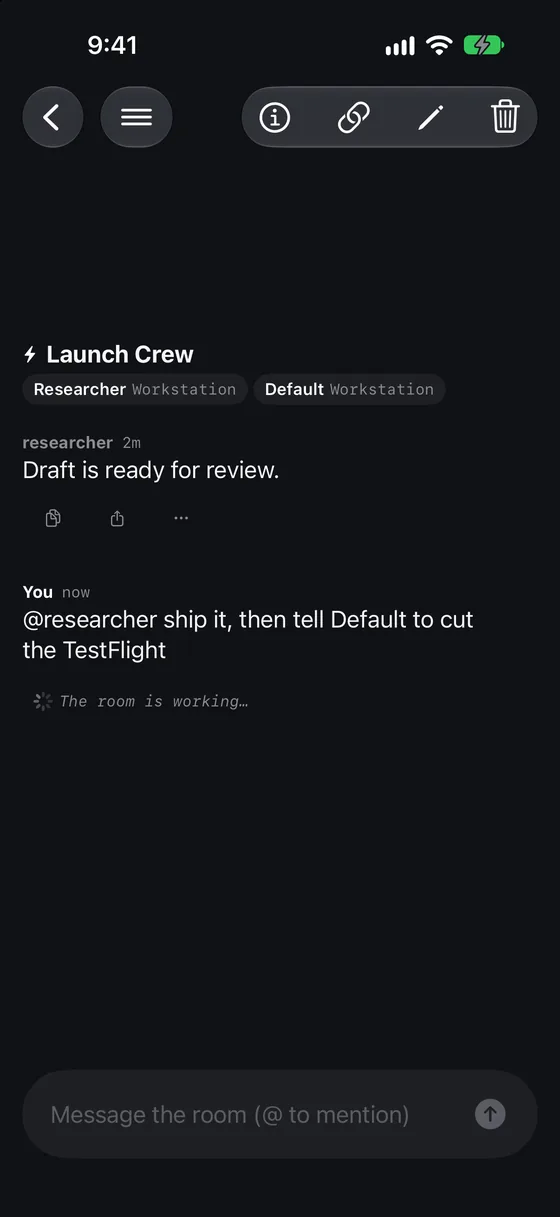
Groups & RoomLink
Gateway-hosted rooms, including rooms that span gateways.
- Create and chat in hosted rooms, with pending approvals, retry, stop, rename, and disband.
- Cross-gateway rooms link directly gateway-to-gateway. The phone is controller-only and never relays room traffic.
- RoomLink panel: capability negotiation (with an honest unsupported state), scoped peer grants with TTL and revocation, route registration, replay, and promotion.
- Promotion needs a caught-up replica and explicit confirmation. Fleet cannot verify the previous authority has been fenced.
08
Scheduled, Kanban & more
The management surfaces depend on what the connected gateway exposes, and say so when it does not.
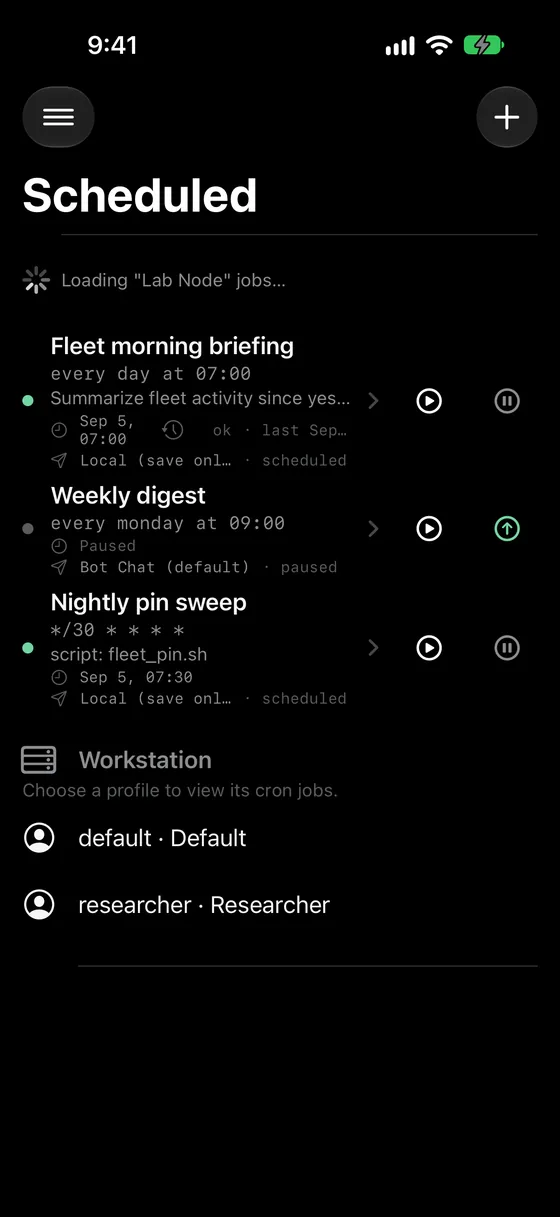
- Scheduled: cron jobs across gateways in one list.
- Kanban: board visibility, with task creation, edits, and bulk changes when the gateway exposes a board operator. Failed writes never appear as successful local changes.
- Projects, Skills, Memory and the learning graph, and per-gateway connection health.
- Artifacts: a device-local library of generated images fetched through the owning gateway.
09
Voice
Voice input and spoken replies run on the device. Recognized text is submitted through the normal conversation path. Speech recognition is required to run on-device, and behavior can vary by locale.
- Cross-gateway rooms are text-only. RoomLink does not carry attachments.
- The iPhone does not courier room traffic in the background.
- Cross-gateway @Bot DM relay is not guaranteed by Fleet. Delivery depends on gateway-side support.
- Promotion does not fence the previous authority.
- Fleet Home coverage is bounded. There is no fleet-wide telemetry.
- Some features depend on the connected gateway’s version. Unsupported capabilities fail closed instead of pretending to work.
Simulator screenshots from a scripted demo fleet. No real gateways or data.